

You are using an out of date browser. It may not display this or other websites correctly.
You should upgrade or use an alternative browser.
You should upgrade or use an alternative browser.
Resource icon
Smart Replays 1.0.8.2
- Thread starter Qvvonk
- Start date
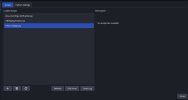
Sure.I cannot for the life of me understand the alias function and get it to work. Is anyone able to explain it like I'm 5?
Imagine you’re recording a game — let’s say DeadLock.
The actual executable file for this game is named project8.exe. Obviously, this name has nothing to do with “DeadLock”, right? And Smart Replays groups recordings based only on the .exe name or the scene name (depending on your settings).
So all DeadLock recordings would normally end up in a folder called project8.
If you want them to be saved in a folder named DeadLock, you need to create an alias.
It has strict syntax:
path/to/executable.exe > AliasName
For example:
C:\Users\Qvvonk\Games\DeadLock\project8.exe > DeadLock
Now, whenever you record DeadLock (even though the actual process is project8.exe), the replay will be saved in the DeadLock folder.
Aliasing whole folders
You can go further.If you don’t know which executable the game uses, or the game has multiple .exe files, you can create an alias for the entire folder:
C:\Users\Qvvonk\Games\DeadLock > DeadLock
With this, any executable inside C:\Users\Qvvonk\Games\DeadLock will have its recordings saved to the DeadLock folder.
Saving all game recordings into one folder
Let’s say your games are located like this:C:\Users\Qvvonk\Games\DeadLock\...
C:\Users\Qvvonk\Games\Minecraft\...
C:\Users\Qvvonk\Games\Warframe\...
If you create an alias like:
C:\Users\Qvvonk\Games > GamesRecordings
then every executable inside C:\Users\Qvvonk\Games — including all subfolders — will have its recordings saved in the GamesRecordings folder.
Priority of more specific aliases
Lets imagine we have an alias from previous example:C:\Users\Qvvonk\Games > GamesRecordings
If you also have a more specific alias, for example:
C:\Users\Qvvonk\Games\DeadLock > DeadLock
Smart Replays will correctly detect this.
All executables inside C:\Users\Qvvonk\Games (including all subfolders) will normally have their recordings saved to GamesRecordings.
However, if an executable is located inside C:\Users\Qvvonk\Games\DeadLock or any of its subdirectories, its recordings will be saved to DeadLock instead.
In other words:
More specific aliases always override more general ones.
If you still have some questions, let me know, i will record a video for you!

big duck 9
New Member
I've been getting an exception every now and then from this script where the value of
My replay buffer is set to a max replay time of 120s and a max memory of 4096 MB, so I would expect
Python version 3.11
Script version 1.0.8.2
As a hacky patch, I check if
next_call at line 1599: obs.timer_add(restart_replay_buffering_callback, next_call) seems to get set to 4,295,067,000, which causes a OverflowException: Python int too large to convert to C long. I'm not sure why this is too large, but perhaps the C long in this context is only 32bit.My replay buffer is set to a max replay time of 120s and a max memory of 4096 MB, so I would expect
next_call to be 120*1000=120,000 in any case. The exception seems to occur randomly, not every 2 minutes, and happens while I am actively using the computer.Python version 3.11
Script version 1.0.8.2
As a hacky patch, I check if
next_call is out of bounds and reset it to 120s, but It would be nice to find a more permanent solution.
big duck 9
New Member
Actually, thinking back, I think the accompanying log message was:
I was dumb and did not save the entire log, will update when it happens again.Replay length (4295067.0s) is greater then time since last input (-4295067.0s). Next call in 4295067.0s.
big duck 9
New Member
Here is a more complete log
Seems to be a problem with determining the time since last input
I totally forgot that these projects are downloaded from github; I see someone raised this issue a month ago, so I'll follow up there instead.
Code:
[smart_replays.py] [09.12.2025 23:44:47] -------------------------------------SAVING BUFFER
[smart_replays.py] [09.12.2025 23:44:47] Old clip file path: C:/Users/Daniel/Videos/Replay 2025-12-09 23-44-47.mkv
[smart_replays.py] [09.12.2025 23:44:47] Generating clip base name...
[smart_replays.py] [09.12.2025 23:44:47] Clip file name depends on the name of an active app (.exe file name) at the moment of clip saving.
[smart_replays.py] [09.12.2025 23:44:47] Current active window process ID: 12412
[smart_replays.py] [09.12.2025 23:44:47] Current active window executable: C:\Program Files\Mozilla Firefox\firefox.exe
[smart_replays.py] [09.12.2025 23:44:47] Searching for C:\Program Files\Mozilla Firefox\firefox.exe in aliases list...
[smart_replays.py] [09.12.2025 23:44:47] C:\Program Files\Mozilla Firefox\firefox.exe or its parents weren't found in aliases list. Assigning the name of the executable: firefox
[smart_replays.py] [09.12.2025 23:44:47] New clip file path: C:\Users\Daniel\Videos\firefox\firefox_09.12.2025_23-44-47.mkv
[smart_replays.py] [09.12.2025 23:44:47] Clip file successfully moved.
[smart_replays.py] [09.12.2025 23:44:47] --------------------------------------------------
[smart_replays.py] [10.12.2025 00:36:08] Restart replay buffering callback.
[smart_replays.py] [10.12.2025 00:36:08] Replay length (120s) is greater then time since last input (-4294643s). Next call in 4294763.0s.I totally forgot that these projects are downloaded from github; I see someone raised this issue a month ago, so I'll follow up there instead.
Last edited:
Hi, tanks, im already aware of the problem. It already fixed in github repo in dev branch. I think i will release an update soon with all known bug fixes and some new features.Here is a more complete log
Seems to be a problem with determining the time since last inputCode:[smart_replays.py] [09.12.2025 23:44:47] -------------------------------------SAVING BUFFER [smart_replays.py] [09.12.2025 23:44:47] Old clip file path: C:/Users/Daniel/Videos/Replay 2025-12-09 23-44-47.mkv [smart_replays.py] [09.12.2025 23:44:47] Generating clip base name... [smart_replays.py] [09.12.2025 23:44:47] Clip file name depends on the name of an active app (.exe file name) at the moment of clip saving. [smart_replays.py] [09.12.2025 23:44:47] Current active window process ID: 12412 [smart_replays.py] [09.12.2025 23:44:47] Current active window executable: C:\Program Files\Mozilla Firefox\firefox.exe [smart_replays.py] [09.12.2025 23:44:47] Searching for C:\Program Files\Mozilla Firefox\firefox.exe in aliases list... [smart_replays.py] [09.12.2025 23:44:47] C:\Program Files\Mozilla Firefox\firefox.exe or its parents weren't found in aliases list. Assigning the name of the executable: firefox [smart_replays.py] [09.12.2025 23:44:47] New clip file path: C:\Users\Daniel\Videos\firefox\firefox_09.12.2025_23-44-47.mkv [smart_replays.py] [09.12.2025 23:44:47] Clip file successfully moved. [smart_replays.py] [09.12.2025 23:44:47] -------------------------------------------------- [smart_replays.py] [10.12.2025 00:36:08] Restart replay buffering callback. [smart_replays.py] [10.12.2025 00:36:08] Replay length (120s) is greater then time since last input (-4294643s). Next call in 4294763.0s.
I totally forgot that these projects are downloaded from github; I see someone raised this issue a month ago, so I'll follow up there instead.